
Manage your account anywhere.
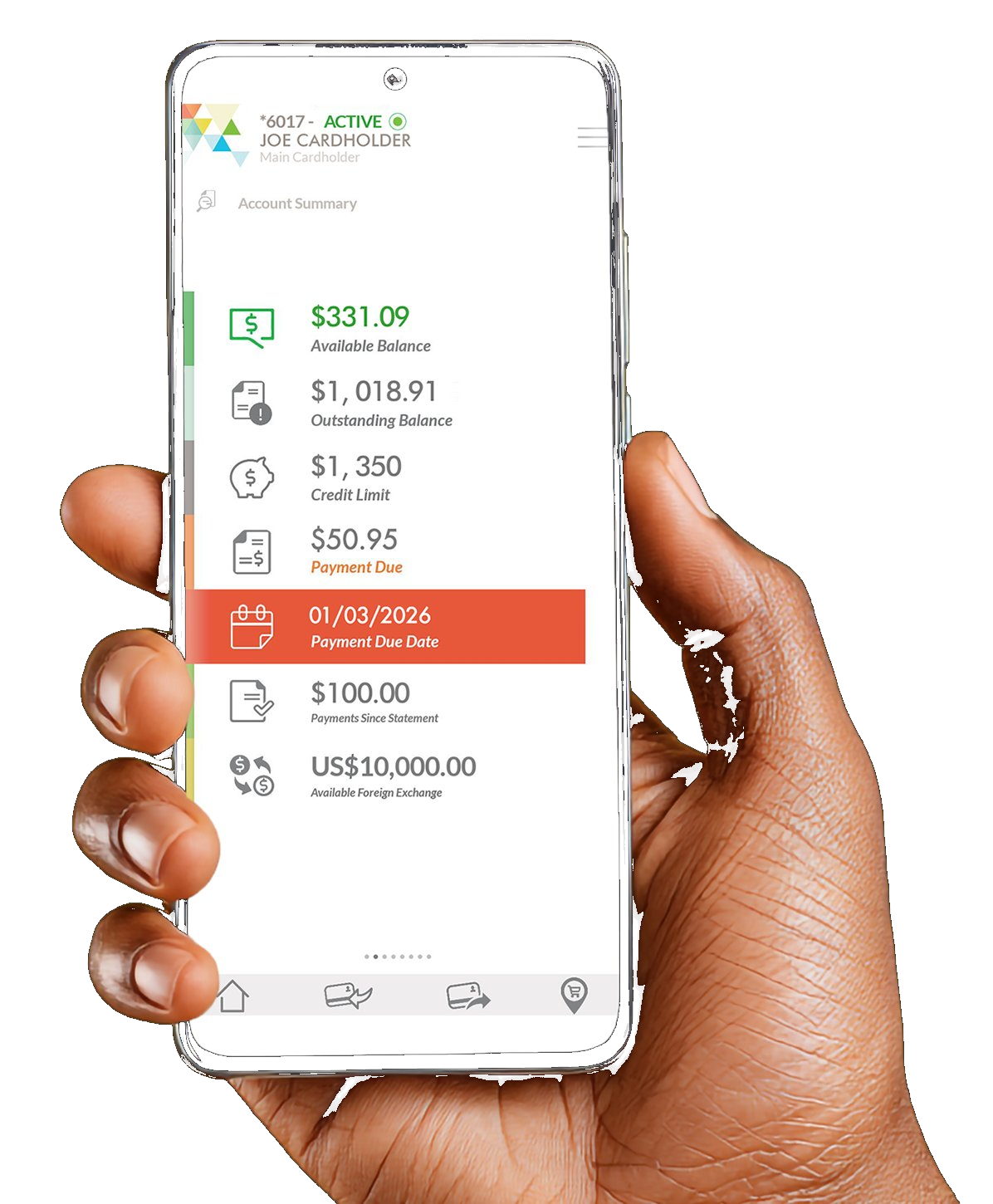
The Payce Digital Mobile App takes the hassle out of your day by putting key account tools right at your fingertips.
Here's what your Payce Digital app can do!
Skip the line. Pay digitally.
Payce Digital makes it easier to handle everyday payments through the app, whether you're paying a bill, sending funds.
Ways you can Pay
FAQ's
What is the Payce Digital Mobile App?
The Payce Digital Mobile App is an application designed for users to conveniently perform everyday activities on their Payce Digital Account.
How do I gain access to the Payce Digital Mobile App?
It's easy! Download the App from either Google Play or the Apple App Store and follow the registration process. For further assistance, feel free to contact our Customer Service Team at 539-4444.
What is the difference between the Payce Digital Mobile App and Payce Digital Online?
Payce Digital Online helps you to manage your transactions online meanwhile the Payce Digital Mobile App allows you access your account details, transfer credit to friends and family, shop at any of our Mobile Partners and much more!
I have Payce Digital Online; will my Login ID and Password be the same?
This is great news! Your Payce Digital Online User ID and Password grants you access to the Payce Digital Mobile App.
What happens if I forget my password?
If you are a Payce Digital Online user, you will have the ability to initiate a password reset by accessing your account. Alternatively, you will need to contact our 24-hour Customer Service Team to have your Mobile profile reset.
What should I do after successfully downloading the Payce Digital Mobile App?
You can proceed to register by mobile number or email address in order to gain access to the Payce Digital Mobile App. Please ensure that either your mobile number or email address matches the information we have on record. You are encouraged to contact our 24-hour Customer Service Team at 539-4444 to have this information updated.
Will I gain immediate access to the Payce Digital Mobile App once my email address and cell number has been updated by the Customer Service Representative?
Yes! Once all details have been updated on our system, you can proceed to register in order to gain access to your account information.
I have multiple accounts; will I have access to all of them through the Payce Digital Mobile App?
Yes! You will be granted access to all your active accounts through the Payce Digital Mobile App.
Is there a fee charged for downloading the Payce Digital Mobile App?
No Way! You won't be billed for downloading the Payce Digital Mobile App. However, please be aware that some charges may apply with your mobile service provider.
What services do I receive with the Payce Digital Mobile App?
With the Payce Digital Mobile App, you will gain access to: view account balances for all active accounts, send and receive funds to other Payce Digital Cardholders, view balances and make payments to utility bills, view recent Card and App transactions, shop at any Payce Digital Mobile Partner, and the ability to lock your Account.
Can I transfer credit to Cardholders from other financial institutions?
All credit transfers completed during the App will be limited to Payce Digital Cardholders.
Can I transfer credit to Payce Digital Cardholders who do not have the Payce Digital Mobile App?
All credit transfers completed in the App will be deducted from the existing Available Credit on your Payce Digital Account. These transactions will appear under your Recent App Transactions in the Mobile App and also appear on your monthly Statement.
Are the transfers completed in the Payce Digital Mobile App tied to my existing Payce Digital Account?
Yes! For your convenience, you will have three (3) options for transferring credit to your friends and family. These can be found under the Send Funds option within the Mobile App and include: Phone to Phone, App User and Non-App User.
Why do I need to create a Passcode to Send Credit to my friends and family?
For your added security, we recommend that you create a Passcode that should be kept confidential, in the event that your registered Mobile Device is ever lost or stolen. This way you remain protected from any unauthorized usage of your Payce Digital Account.
Can an additional Cardholder on a joint account access the feature to transfer funds as well?
Of course! Additional Cardholders will have access to the transfer funds feature; however, they may be limited in viewing full account details.
Can I retract a Credit Transfer completed in the Payce Digital Mobile App?
Unfortunately, no! To obtain these funds, you will need to request the Receiver to initiate sending a credit back to you.
Will I have access to my statements through the Payce Digital Mobile App?
Yes! You will have access to your last six (6) months Statements and these will be available for you to email and view in pdf.
What are Open Authorisations?
These are your completed transactions which are yet to be settled by the Merchant. Once settled, these transactions will appear on your account and statement.
Can I freeze my Card through the Payce Digital Mobile App?
Yes, you have the ability to lock your account via the Payce Digital Mobile App.
How secure is the Payce Digital Mobile App? What happens if I misplace my phone or device?
The Payce Digital Mobile App has been designed with your security in mind and incorporates the highest digital standards and encryptions in order to keep your personal data information safe. Remember – be sure to create your personal Passcode in order to help protect your account in the event that your device is lost or stolen.